Know what every car really made you
AutoStock is the dealership management system independent South African dealers use for stock, invoicing, debtors and the Second-Hand Goods Act register. Every vehicle, what it cost you, what you spent preparing it, what it sold for, and what is still owed.
R 2 500 a month · one dealership · cancel any time
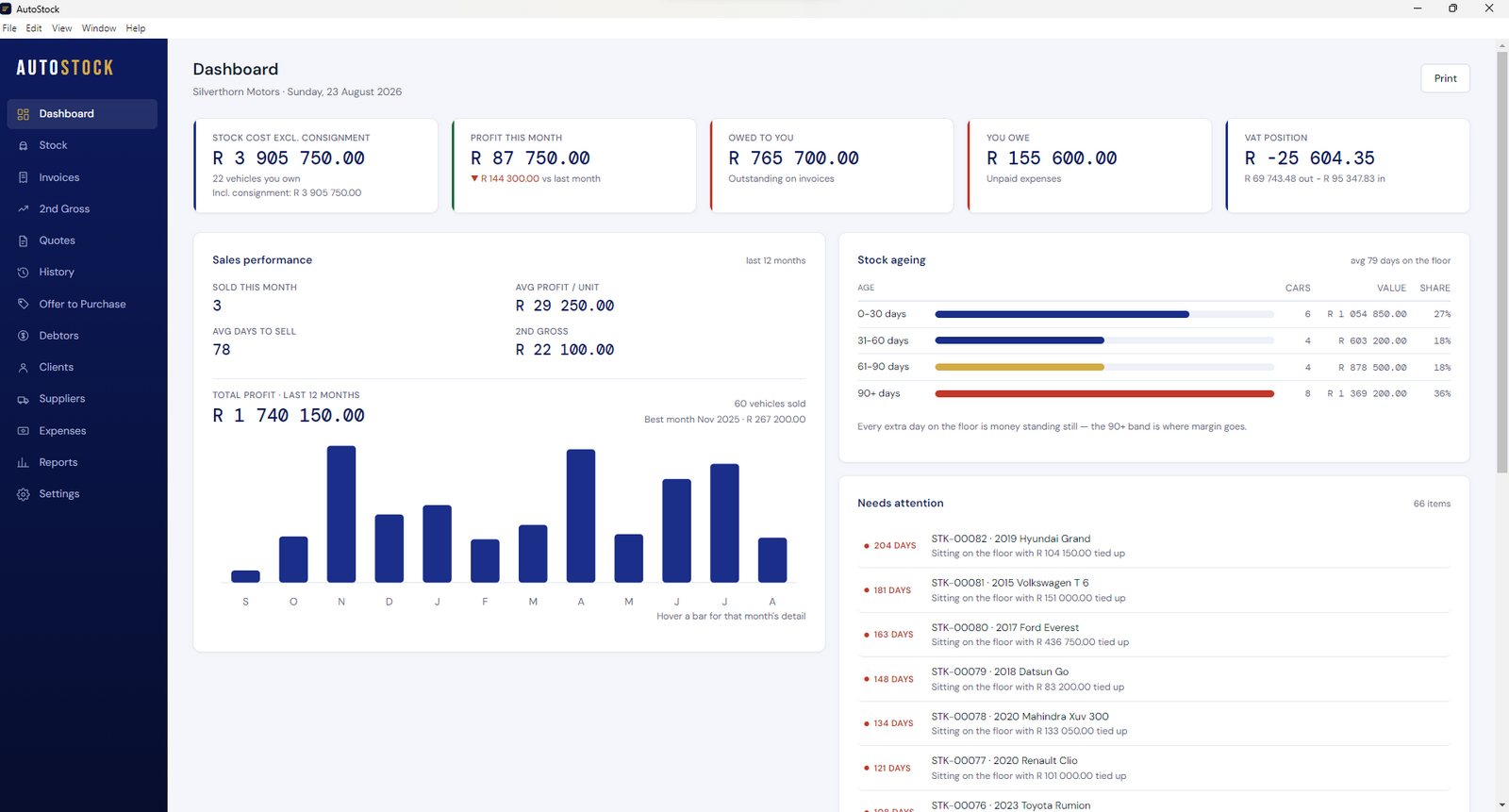
A complete dealership management system, from the day you buy the car to the day it is sold
Every function is included in the monthly price. There are no modules and no optional extras.
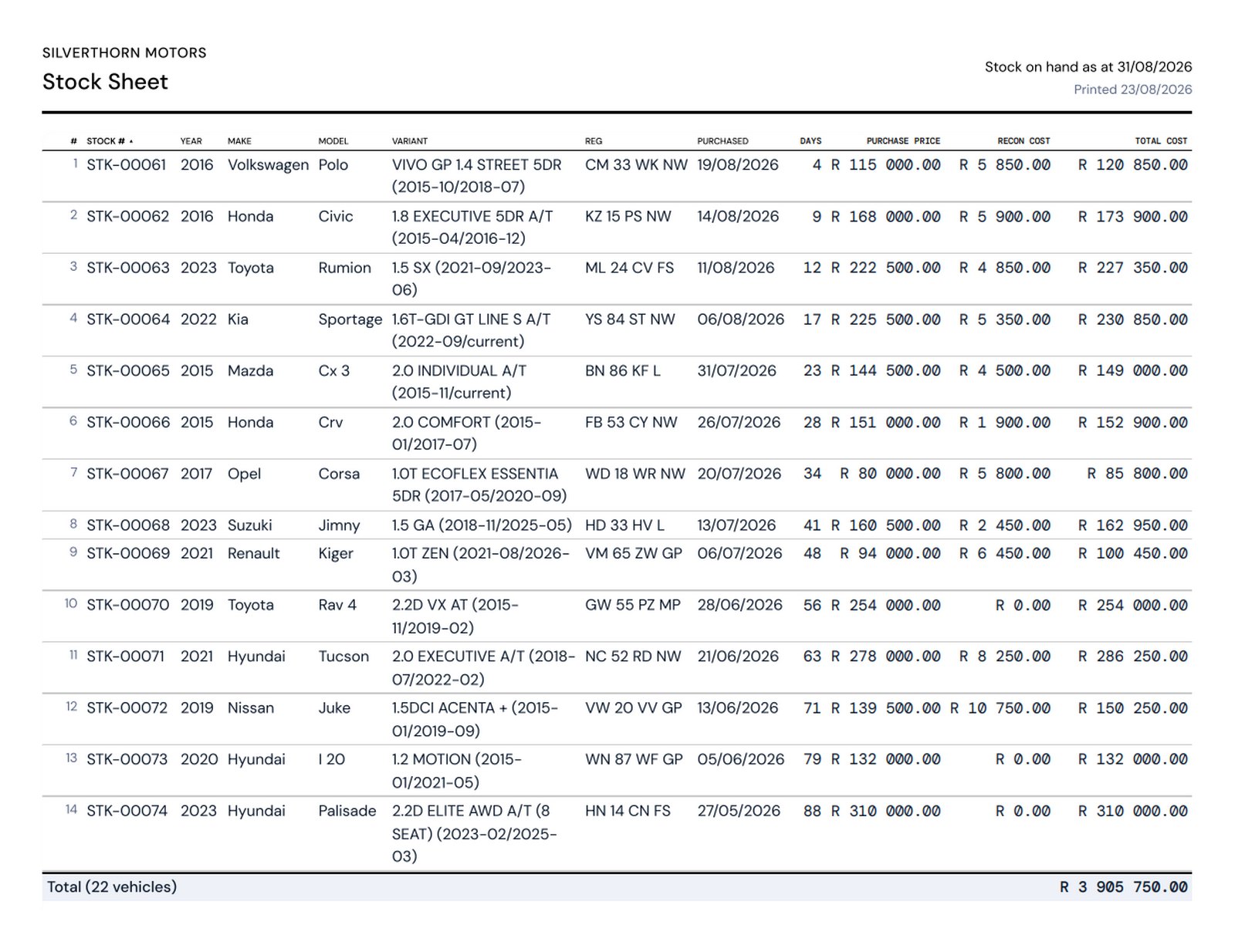
Stock management
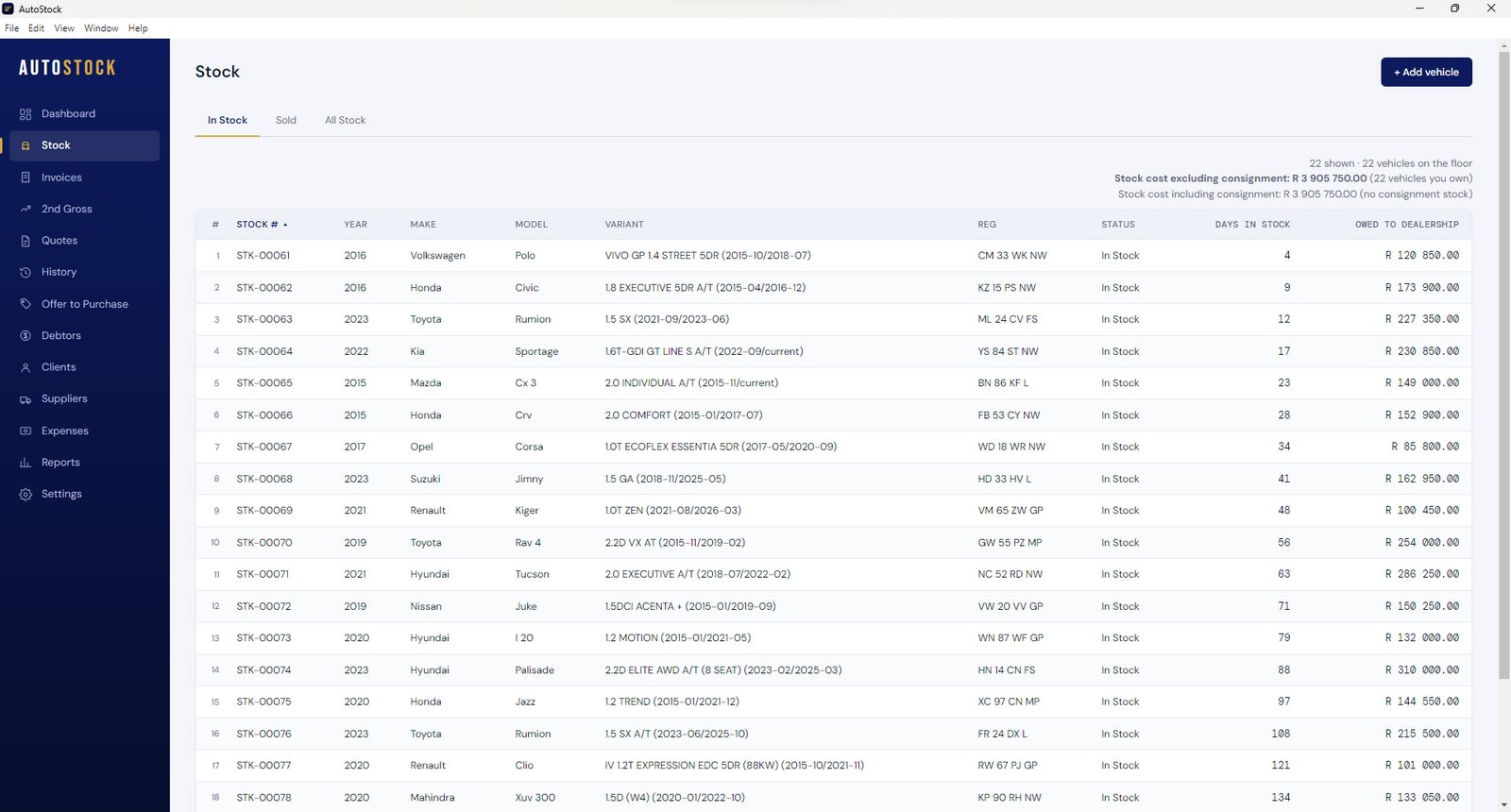
Every vehicle you own in a single list. Year, make, model and variant are selected from a complete South African vehicle database, so specifications are captured accurately and quickly.
Recon costs and job cards
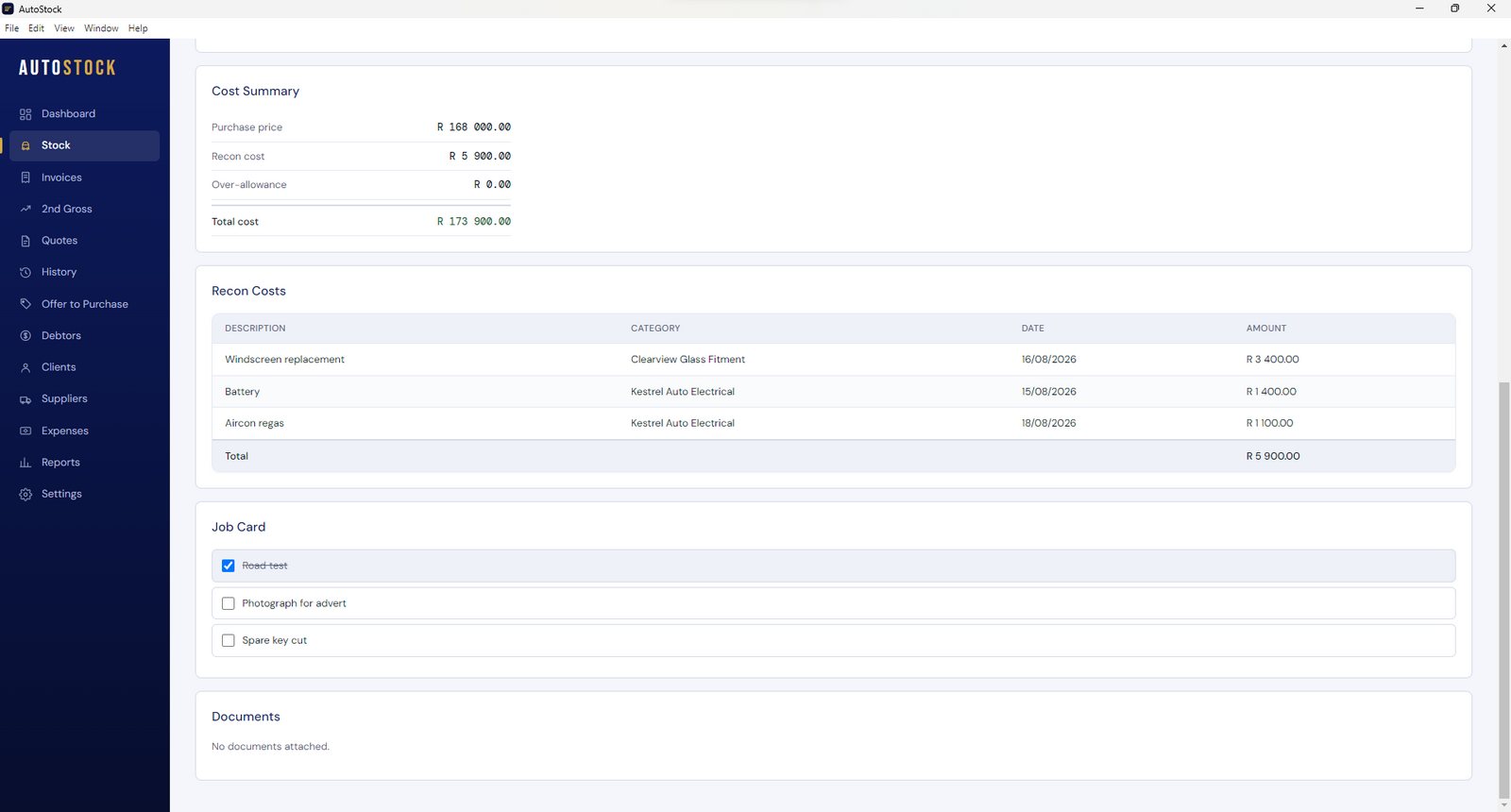
Tyres, servicing, panel work and licensing are recorded against the vehicle they belong to. Profit per unit is then calculated from actual figures rather than estimated.
Invoices and sundry invoices
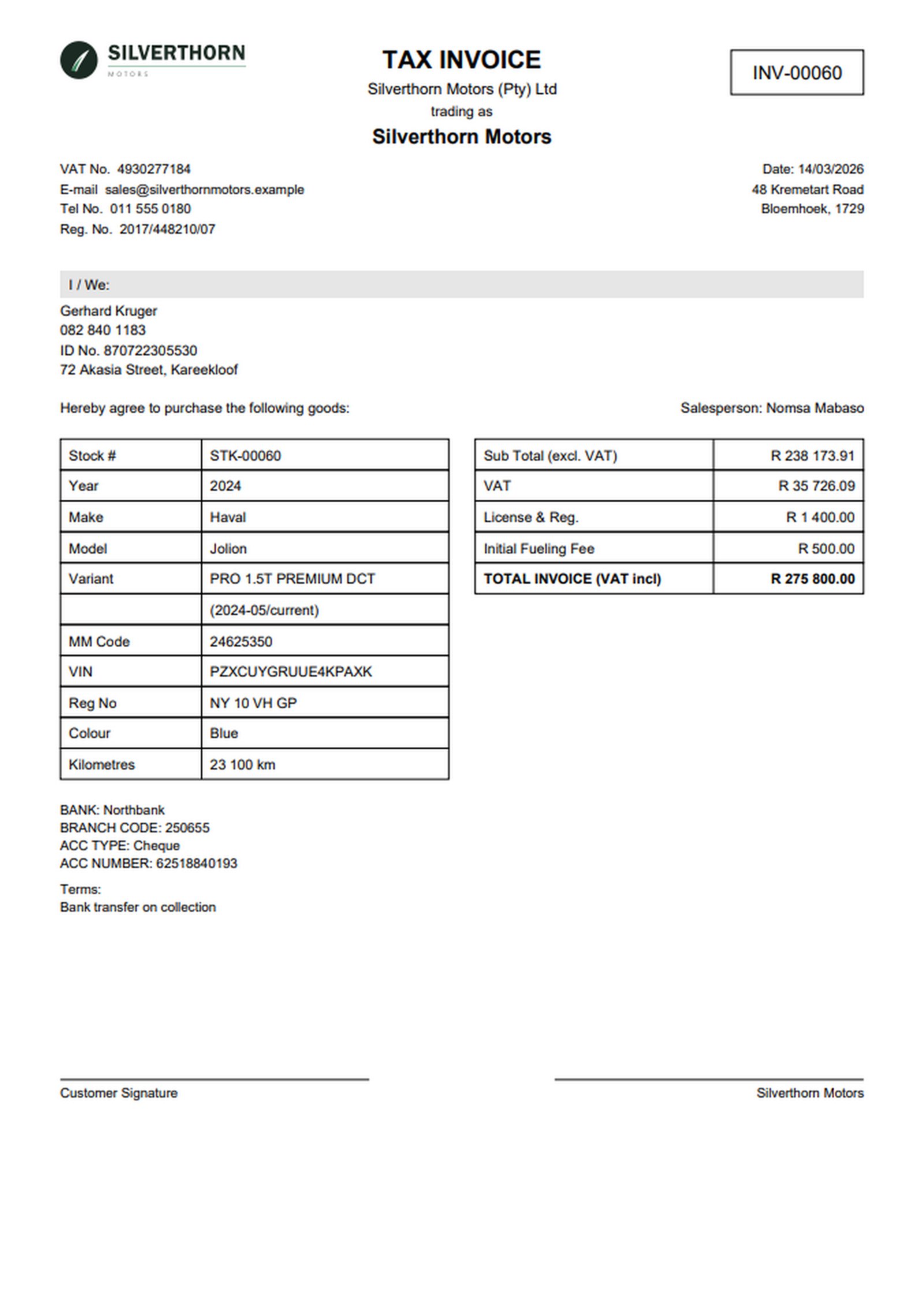
Raise vehicle invoices and sundry invoices. Any amendment is retained as an audit record, and an invoice number is never reissued.
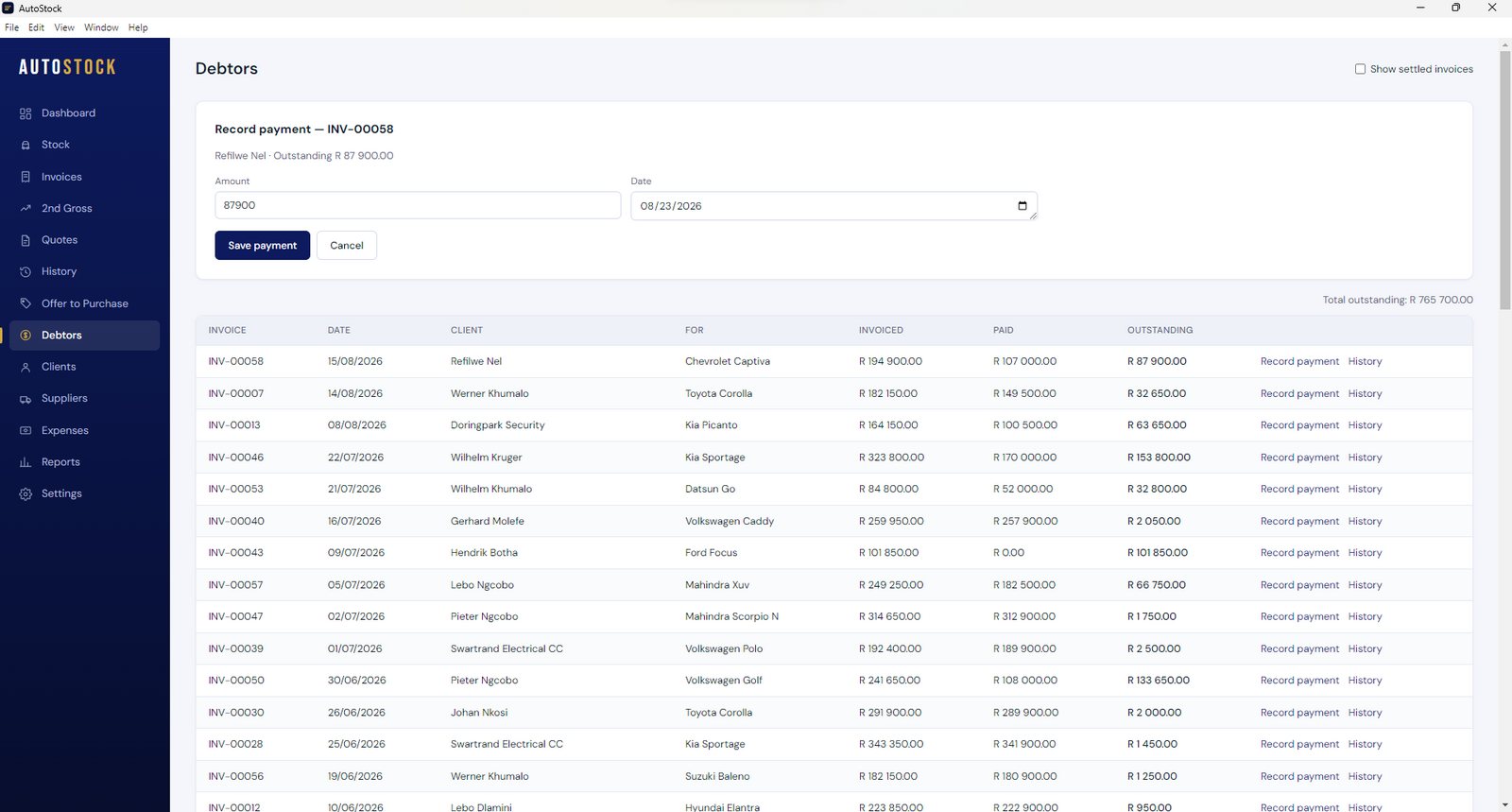
Debtors
Deposits, part-payments, refunds and credits are consolidated automatically. A single screen shows every outstanding balance and how long it has been owing.
2nd gross
Finance and insurance commission is recorded against the deal that generated it, and is included in both that vehicle's profit and your monthly total.
Reports you can print
Sales, profit, stock ageing, VAT and the statutory register. Select a period, print, and hand it to your accountant.
The screens you will work in
Actual screens from a dealership in operation.
Selling the vehicle is the straightforward part
Buying and selling is what you do well. It is the administration around it that consumes the week and quietly erodes the margin on every deal: the costs, the outstanding balances and the statutory records.
Profit you cannot verify
The purchase price is recorded. The tyres, the service, the panel work and the licensing are not. By the time the true figure is known, the vehicle has long since left the floor.
Balances you cannot see at a glance
A deposit on one deal, a part-payment on another. When the running total is kept in a message thread, collection depends on memory rather than on a record.
Statutory records compiled after the fact
VAT records and the second-hand goods register are easily deferred, and are usually reconstructed under pressure in the week an inspection or an audit is announced.
Your reporting is already done
Nothing is captured twice. Every vehicle you enter builds your stock sheet, your profit sheet and your statutory register as you trade.
When a report is needed, select the period and print it.
Your entire floor on one page
Every vehicle in stock, with its purchase price, reconditioning costs and total cost to date. Suitable for your bank, your accountant or your own review.
Verified profit for the period
Every vehicle sold, with reconditioning costs and 2nd gross already accounted for. No manual reconciliation and no spreadsheet.
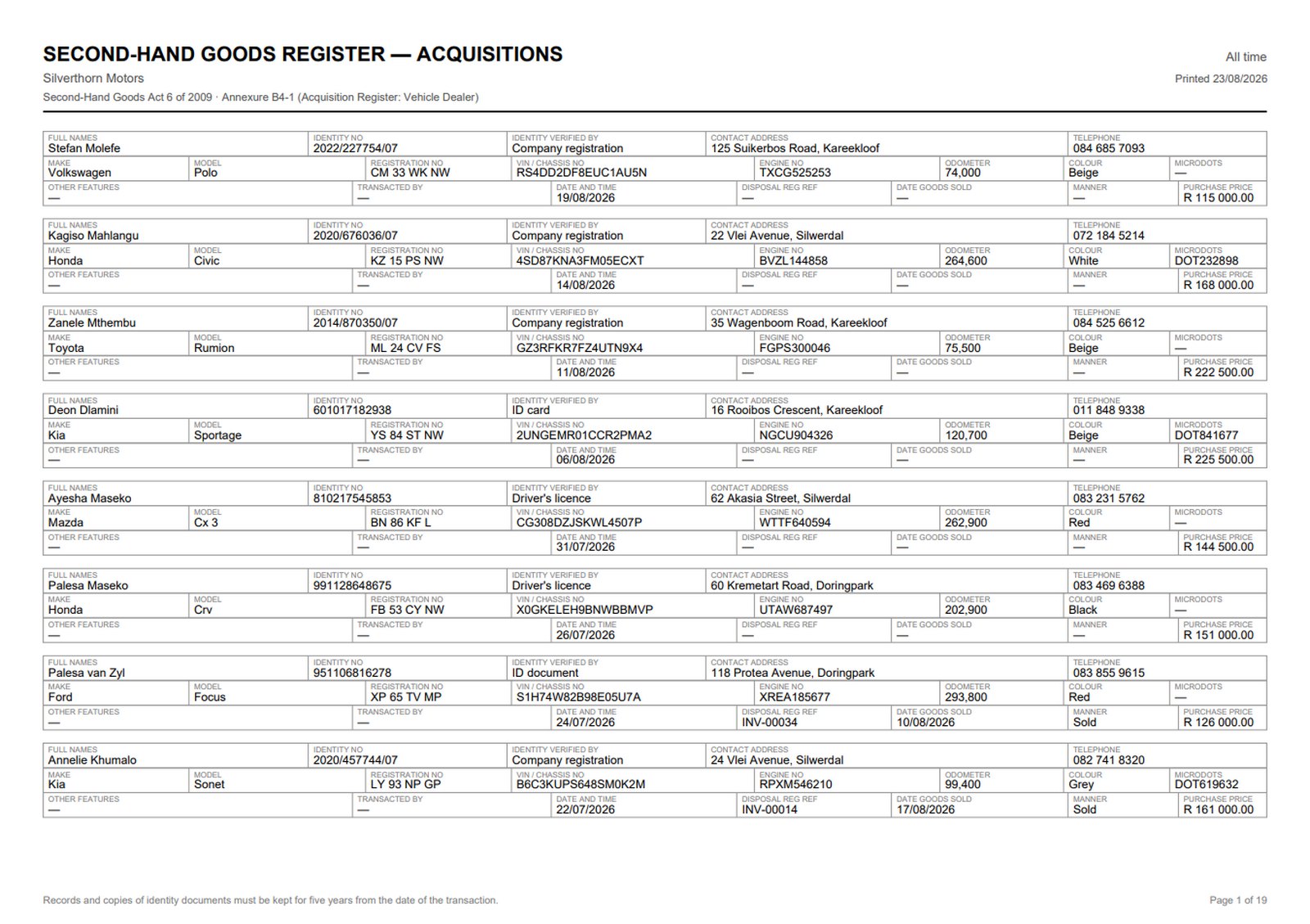
Compiled as you trade
The Second-Hand Goods Act register, printed on the prescribed form with the seller's particulars already recorded. Available on demand rather than reconstructed from memory.
Including notional input VAT
Vehicles bought from private sellers still qualify for a notional input VAT claim. AutoStock calculates it and includes it in a report your accountant can work from.
It runs on your computer, not in a browser
AutoStock is installed on your Windows PC. It continues to operate when your connection is down, and a copy of your data is held in the cloud so it can be restored to another machine whenever required.
Trading continues without a connection
Capture stock, raise invoices and print reports with the line down. The internet is required only for backups and licence checks.
Restores to any machine
If a computer is replaced, lost or fails, sign in on the new machine, restore the backup and continue from where you stopped.
Your records remain your property
Export everything to a spreadsheet at any time, including after a subscription ends. Nothing is withheld.
What happens after you subscribe
You are trading on it the same day. There is nothing to install for you, and no waiting on us.
Subscribe
Pay by card through PayFast. Your account is active as soon as the payment clears.
Download it
A download button appears on your subscription page. It installs on Windows 10 or 11 in a couple of minutes.
Sign in and set up
Use the same email and password. Enter your dealership details once and they print on every document.
Load your stock
Capture your floor as you go, or in one sitting. Nothing has to be imported or converted first.
One price, everything included
There are no tiers to compare, no optional extras, and no demonstration required before the price is disclosed.
Single dealership licence. Billed monthly by card.
- Stock, invoicing, debtors, 2nd gross and all eight reports
- Cloud backup included as standard, not as an extra
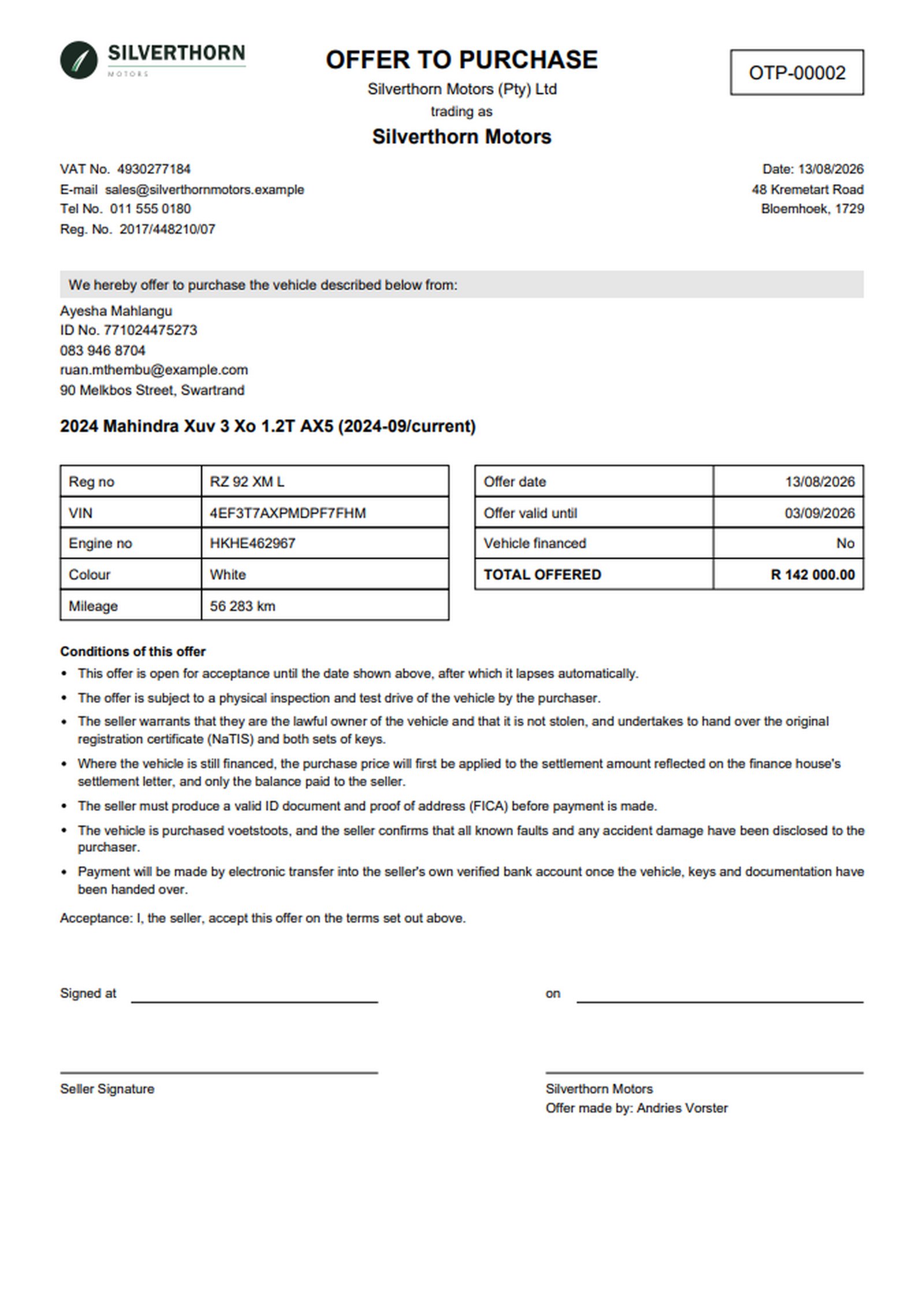
- Offer to Purchase, job cards and the statutory register
- Updates included, and no contract to sign
Cancel at any time; you are not tied in.
Your records remain yours regardless.
Would you prefer to speak to someone first?
Weekdays during trading hours. You will reach a person, not a call centre.
Written for the South African motor trade
Plain-English guidance on the administrative side of dealing.
What is a dealership management system?
What a DMS does, when a spreadsheet stops coping, and what a dealer here needs one to handle.
Second-hand goods notional input VAT
How to claim VAT on a vehicle purchased from a private seller.
Registering as a motor dealer in South Africa
What is required before you may legally trade in vehicles.
Questions
Does AutoStock work without an internet connection?
What happens to my records if I stop paying?
Can I use it on more than one computer?
Do I need to be registered for VAT?
Does AutoStock run on a Mac?
How do I get AutoStock onto my computer?
How do I pay, and can I cancel?
Put your dealership
on one system
Put your whole dealership on one system. R 2 500 per month, with nothing further to pay.